LTO Portal – LTMS Login, Registration & Online Services Guide (2026)
The LTO Portal is changing the way Filipinos deal with driving and vehicle paperwork. You no longer have to wait in long lines. Now, you can use the LTMS Portal (Land Transportation Management System) to complete many tasks from your phone or computer. This means you need to renew your licence, register a new vehicle, and check your violation records. The designers created the system to make transactions faster, safer, and easier for everyone. This applies to first-time drivers and those who have been driving for years.
Using the LTO Portal starts with a simple LTMS login process. After you register your account, you can access many online services. These include booking a driving test, applying for a student permit, and tracking your plate number status. The portal also helps reduce the need for physical visits to LTO branches, saving you time and effort. In this guide, we’ll cover all you need to know about the LTO Portal in 2026. We’ll start with creating your account and then explore its best features.
What Is The LTO Portal (LTMS)?
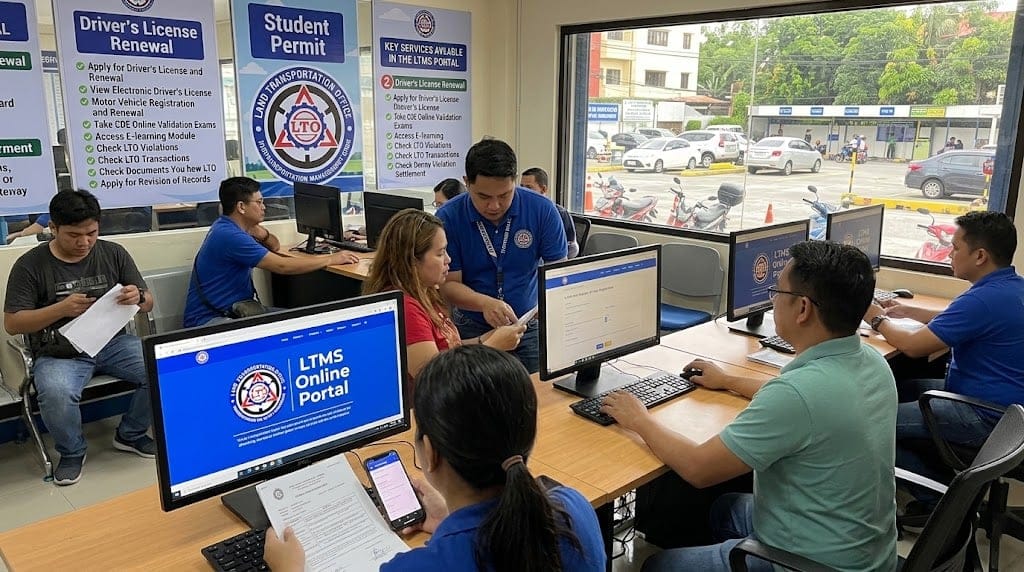
The LTMS is the official online system of the LTO (Land Transportation Office) in the Philippines. It lets drivers and vehicle owners register vehicles, renew licenses, pay fees, and track documents without visiting a branch.
Benefits Of Using The LTMS Portal
- Saves time – No need to queue at a physical LTO branch.
- 24/7 access – Check records or book appointments anytime.
- Fewer errors – Online forms reduce paperwork mistakes
- Transparency – Track your licence, plate, or transaction status in real time
- Convenience – Pay fees, schedule exams, and download certificates from home
Qualifications for LTMS Online Registration
- Filipino citizen or legal resident with a valid ID
- At least 18 years old for most transactions
- Active email address and mobile number
- No existing LTMS account under the same details
Requirements for LTMS Online Registration
- A valid government-issued ID (passport, national ID, or driving licence)
- Full legal name, birth date, and address matching your ID
- A working email address
- A mobile number for verification codes
- A clear, recent photo (for services like licence renewal)
How To Register On The LTMS Portal
- Go to the official LTMS portal website
- Click “Register” on the homepage
- Fill in your personal details exactly as shown on your ID
- Enter your email address and create a strong password
- Verify your account through the link sent to your email
- Log in and complete your profile with your licence or vehicle details
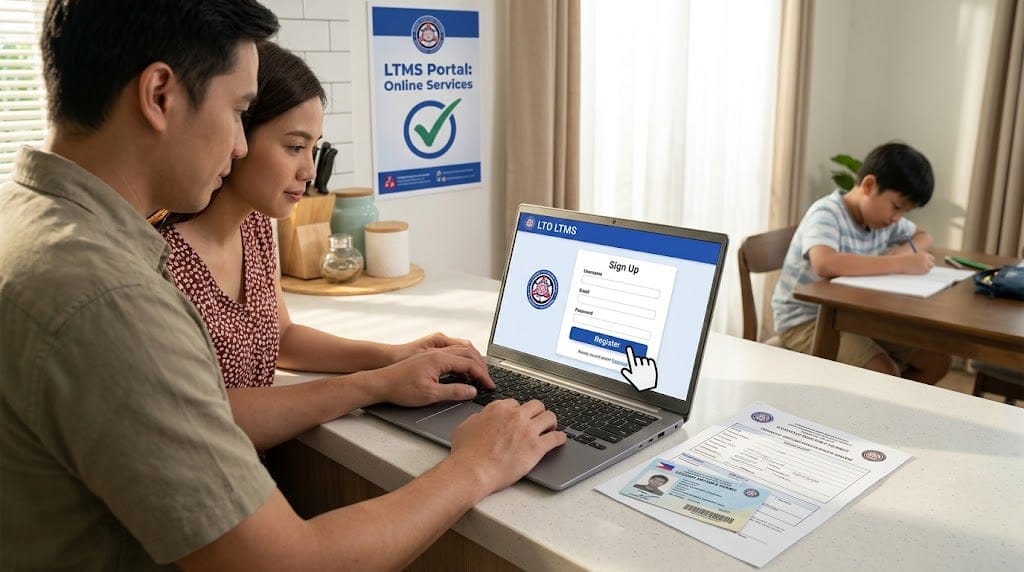
Once verified, your account is ready for LTO transactions.
How To Log In To The LTO Portal
- Visit the official LTMS portal login page
- Enter your registered email and password
- Complete verification if prompted
- Click “Log In” to access your dashboard
From your dashboard, you can view records, book services, and check transaction statuses.
LTO Portal Services
Driver’s Licence Services
Apply for a new licence, renew an existing one, or check your status. This involves applying for a Student Permit, which you need before your driving exam. You should also check licence restriction codes, like DL Code B, for specific motorcycles and light vehicles.. LTO renewal is one of the most-used features on the portal.
Vehicle Registration and Ownership
Register a new vehicle, renew registration, or transfer ownership. You can also request your Certificate of Registration (CR), part of the ORCR, as proof your vehicle is properly registered.
Online Payments and Receipts
Pay fees and fines through secure online options, and download digital receipts.
Learn & Take Online Driving Courses
Complete required driving courses or refresher programs online, skipping the trip to a physical school.
Check and Pay Traffic Violations
View recorded violations linked to your licence or plate, and settle payments online. If you think a violation is wrong, you can contest it through the right LTO or MMDA channels instead of paying immediately.
Schedule Appointments Easily
Book a time slot for in-person transactions at your chosen branch, cutting down waiting time.
Request Official Certificates
Request certificates of registration, clearance, or other documents without visiting the office.
How To Track Your Driver’s License And Plate Number Online
Log in to your account. Then, go to the tracking section. Enter your application or reference number. This will show if the system is processing, printing, or preparing it for pickup.
How To Use The LTO Tracker
The LTO Tracker is a related tool that checks the delivery or release status of your license card or plate number without needing a full LTMS account.
- Go to the official LTO Tracker page
- Enter your reference number or application details
- Submit to view your current status
- Refresh periodically, since updates may take a few days
This is especially useful if you are waiting on a new plate number.
How to Complete an LTO Transaction When the Mother File Is at Another Branch
Your “mother file” is your original LTO record, kept at the branch where you first registered. You can still transact at a different branch, but processing takes longer since your file must be requested from its original location.
Requirements For Completing The Transaction
- A valid ID matching your mother’s file record
- Your LTMS account details
- Supporting documents, such as an authorisation letter if someone transacts on your behalf
- Extra time, since retrieving records from another branch can take longer
How to Transfer Your Mother File to Another Branch
- Visit your current LTO branch, or use the portal if available
- Submit a written request stating your new preferred branch
- Provide valid ID and proof of your new address
- Wait for confirmation that your file has been moved
Once transferred, future transactions can be done at your new branch without delays
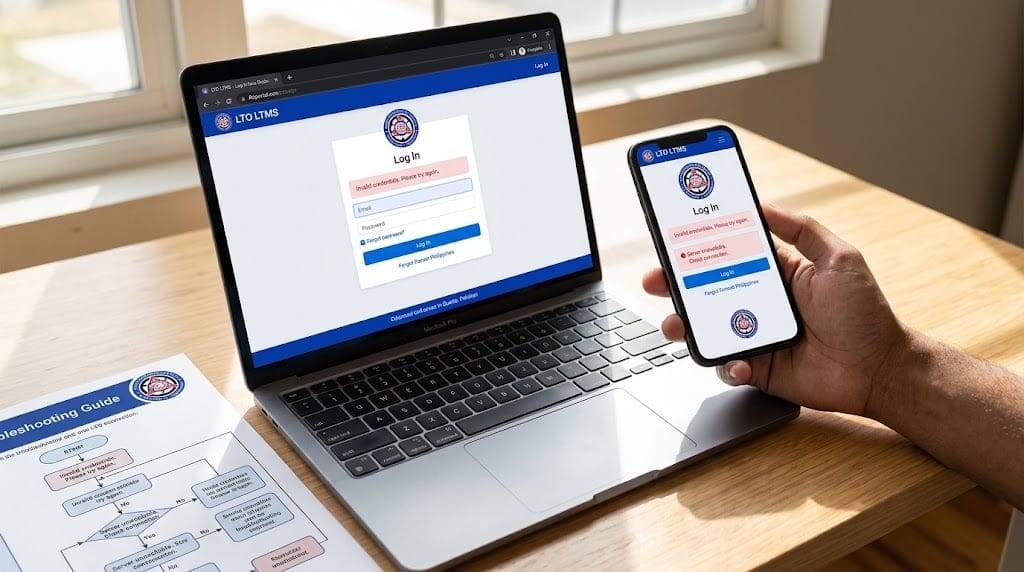
Common Issues & How to Fix Them
- Can’t log in – Double-check your email and password, or use “Forgot password.”
- Verification email not received – Check spam, or request a new link
- Slow website or timeout – Try again during off-peak hours
- Wrong personal details – Contact LTO support to correct your account
Important Reminders
- Use your legal name and correct birth date during registration
- Keep reference numbers safe for tracking
- Renew your licence and registration before the expiration date
- Only use the official LTO Portal website to avoid scams
Contact Information & Social Media
- LTO Hotline: General inquiries and complaints
- LTO Client Care: Specific transaction concerns
- Official Social Media Pages: Announcements and updates
The LTO operates under the Department of Transportation (DOTr), so some updates may also come through DOTr channels. Always verify you’re contacting official LTO sources, not third-party pages.
FAQs – LTO Portal
What Is The LTO LTMS Portal?
The official online system of the Land Transportation Office lets Filipinos handle license, registration, and payment transactions digitally.
Can I Renew My Driver’s Licence Online?
Yes. The LTMS Portal lets you start renewal online, though some steps may still need an in-person visit.
What If I Forget My Password?
Use the “Forgot Password” link on the login page to get a reset link by email.
Can I Take the Exam Anytime?
No. Exams need to be scheduled in advance through the portal or at a designated testing centre.
Can I pay online?
Yes, through secure online payment methods for fees and penalties.
How Can I Verify My LTO Portal Account?
Check your email for a verification link after registering. If you do not receive it, use the resend option on the login page.
Who Has The Authority To Confiscate My Driver’s Licence?
Only authorised traffic enforcers, such as LTO or MMDA officers, can confiscate a licence during a valid violation. Ask for identification if unsure.
Where Can I Contest a Traffic Violation?
At the LTO office that issued it, or through the adjudication process listed on your citation ticket.
Conclusion
The LTO Portal and LTMS Portal have made transportation transactions much easier for Filipino drivers. From registration and login to tracking your plate number with the LTO Tracker, this system saves time and cuts down on branch visits. Keep your details accurate, follow official channels, and the process becomes far smoother.